Contact Components

Contact modules provide users with a direct way to reach out, ask questions, or request support.
They are key elements in digital interfaces, designed to be adaptable across different formats and use cases.

In this chapter, we will show you the various modules that can be used for contact purposes.
All contact modules at a glance

DEHN

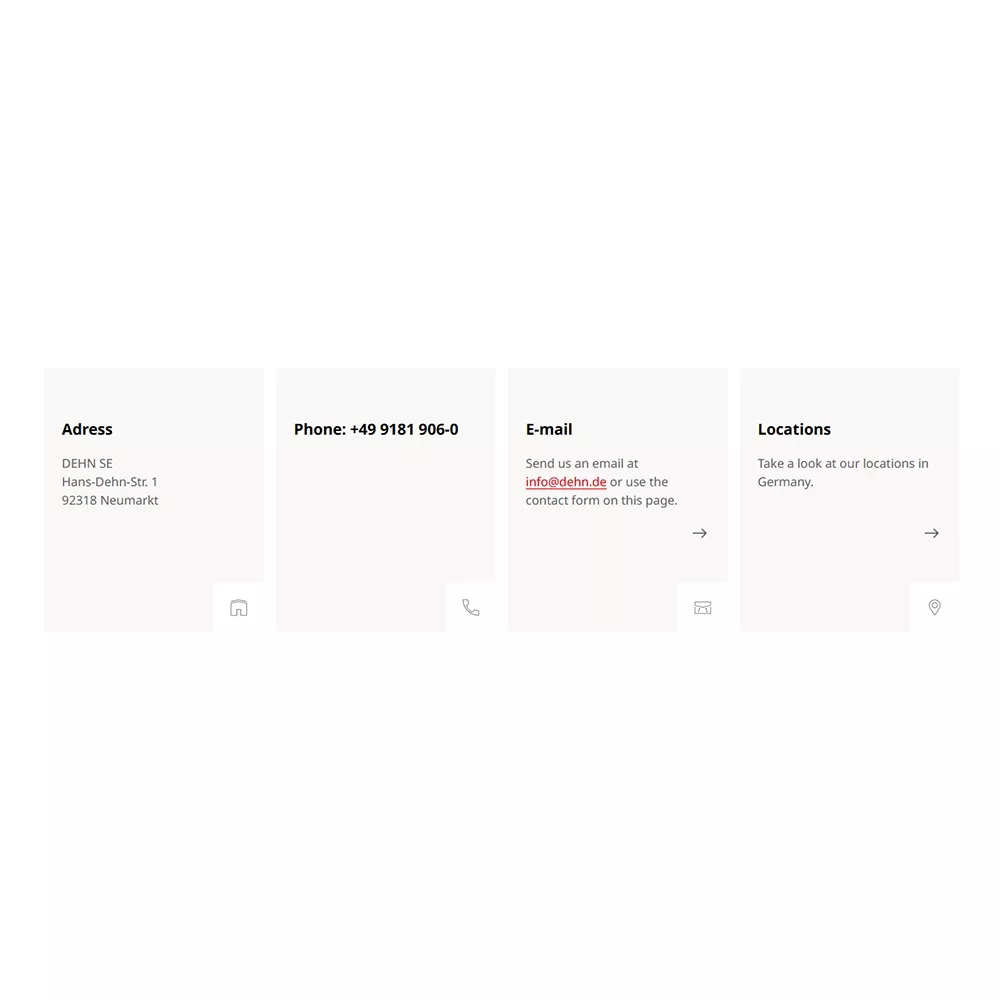
70 | Contact Boxes

Displays four separate boxes for key contact details such as address, phone number, email, and location.

Use case: Ideal for clearly presenting essential contact information in a structured and visually accessible format, such as on a contact or support page.

70 | Contact Boxes: Specifications

🎯 | Character & Goal

  • Compact element to display contact channels with optional links
  • Goal:
    • Display fast contact possibilities in an overview style

✨  | Styles & Layouts

  • Grid: Items will be placed next to each other in a grid

πŸ’»  | Authoring

Text lengths
Character limits / line-clamps

  • No limits or line clamps

Mandatory fields

  • Item icon
  • Item headline

πŸ’‘  | Hints

Tips for maintenance 

  • The item text within each box can be styled also as a textlink if you want to add links to e.g. email addresses, ..
  • The boxes will scale up to the max. height box of each row: Make sure to use similar text lengths within each item/box to avoid an unbalanced look
  • The items are placed 4 in a row (Desktop) - the component looks best with 3-4 items
DEHN

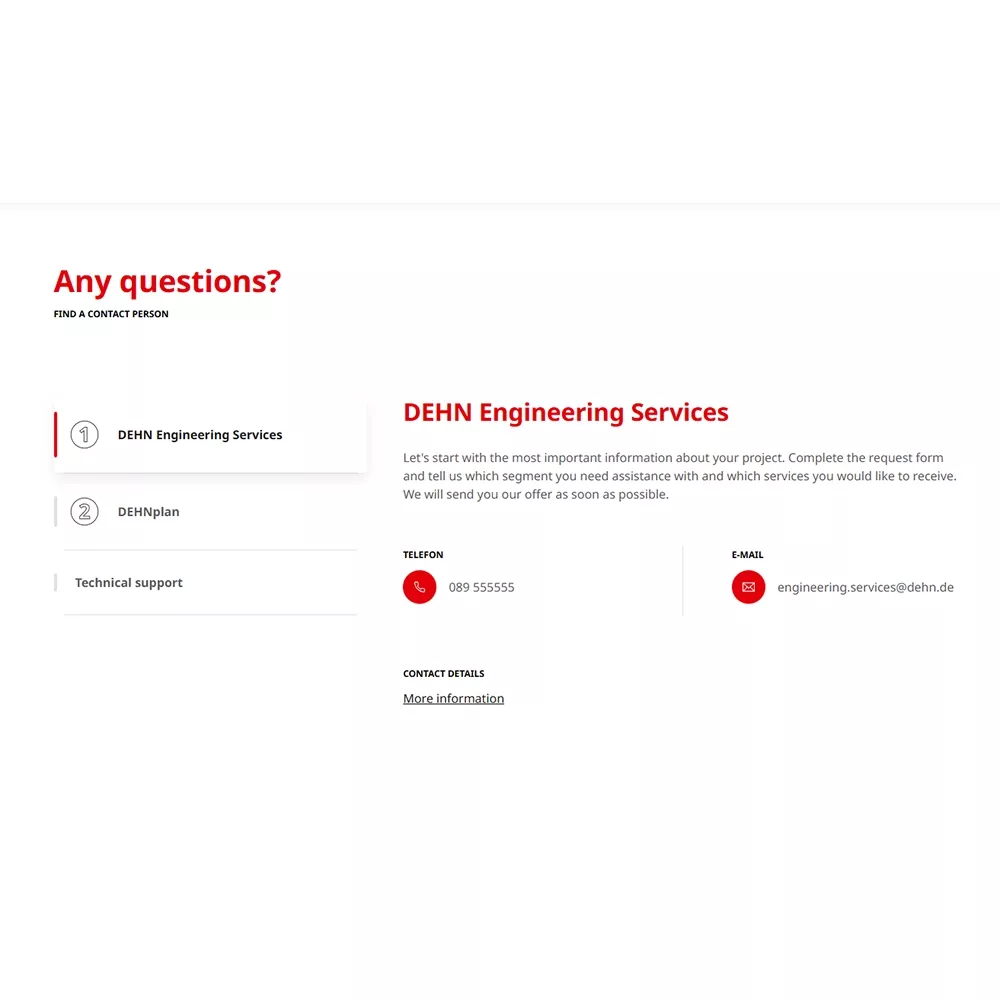
71 | Contact Details

Shows various contact details in a compact list format. Additional information like phone numbers or email addresses appears when the list is expanded.

Use case: Useful for keeping pages clean while still offering detailed contact options, especially for departments or service areas.

71 | Contact Details: Specification

🎯 | Character & Goal

  • Compact element to display contact details like telephone, email or links
  • Goal:
    • Display contact possibilities in a compact style

✨  | Styles & Layouts

  • Vertical tab component:
    • Each item is one separate tab displayed on the left
    • The active item shows more details with additional text, telephone number, email or  link
    • Changing the tab changes the content on the right side automatically 

πŸ’»  | Authoring

Text lengths
Character limits / line-clamps

  • No limits or line clamps

Mandatory fields

  • Item kicker

πŸ’‘  | Hints

Tips for maintenance 

  • The kicker is used as a small headline on the left side. Make sure to use short text here. You can add more details in the item headline which will be displayed on the right side
  • When no headline is authored the kicker is automatically used
DEHN

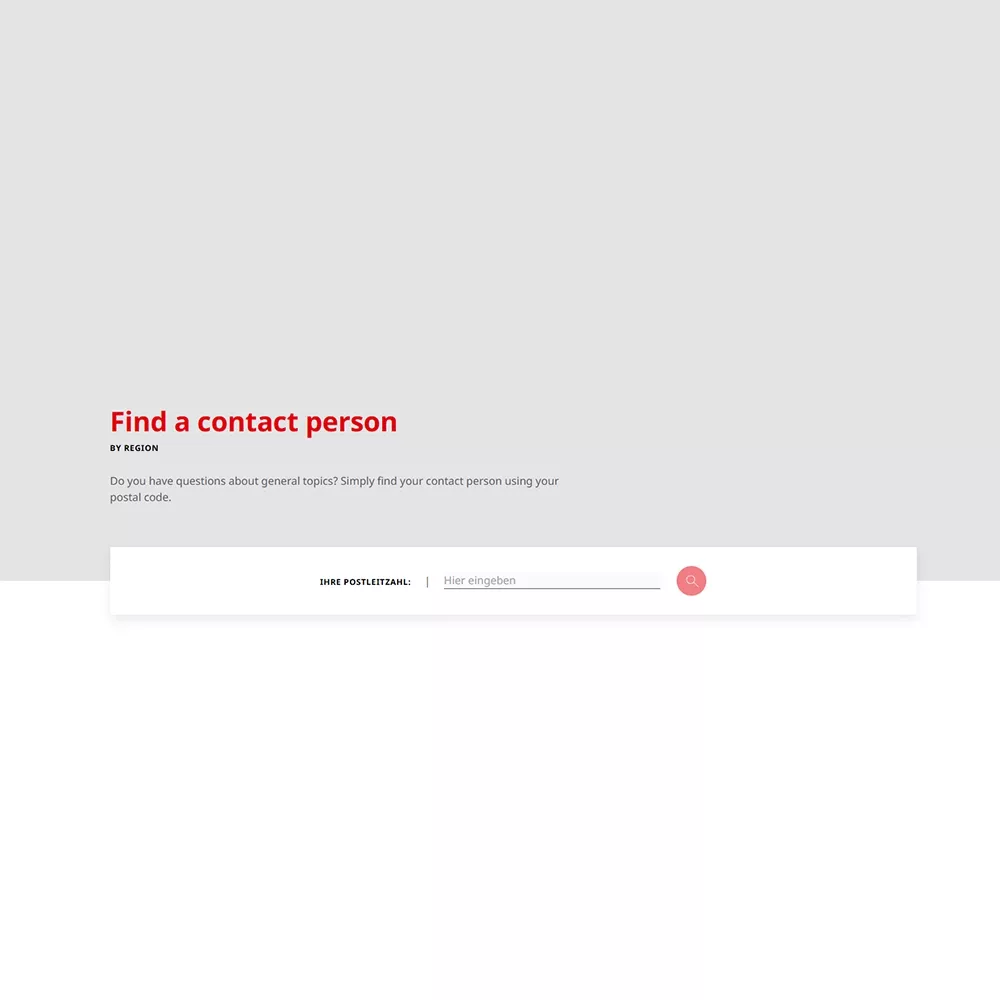
72 | Contact Person Finder

Allows users to find the responsible contact person by entering their postal code (module only usable for DE).

Use case: Perfect for region-specific support or service teams, helping users quickly identify the right contact based on their location.

72 | Contact Person Finder: Specifications

🎯 | Character & Goal

  • Component to search for contact person according to postal codes
  • Goal:
    • Display contact based on location

✨  | Styles & Layouts

  • Search component:
    • The component will be automatically displayed with a search bar for the postal code input - no further editing is required
    • Functionality: After the user adds at least 3 characters of postal code the nearest contact persons get displayed.
    • The first 3 items are displayed as a list, the rest of items can be expanded by clicking on β€œRead moreβ€œ 

πŸ’»  | Authoring

Text lengths
Character limits / line-clamps

  • No limits or line clamps

Mandatory fields

  • Section text

πŸ’‘  | Hints

Tips for maintenance 

  • This component uses contact data which is maintained elsewhere. No new contacts can be added for the postal code search within this component. It only serves to display a search option for users.
DEHN

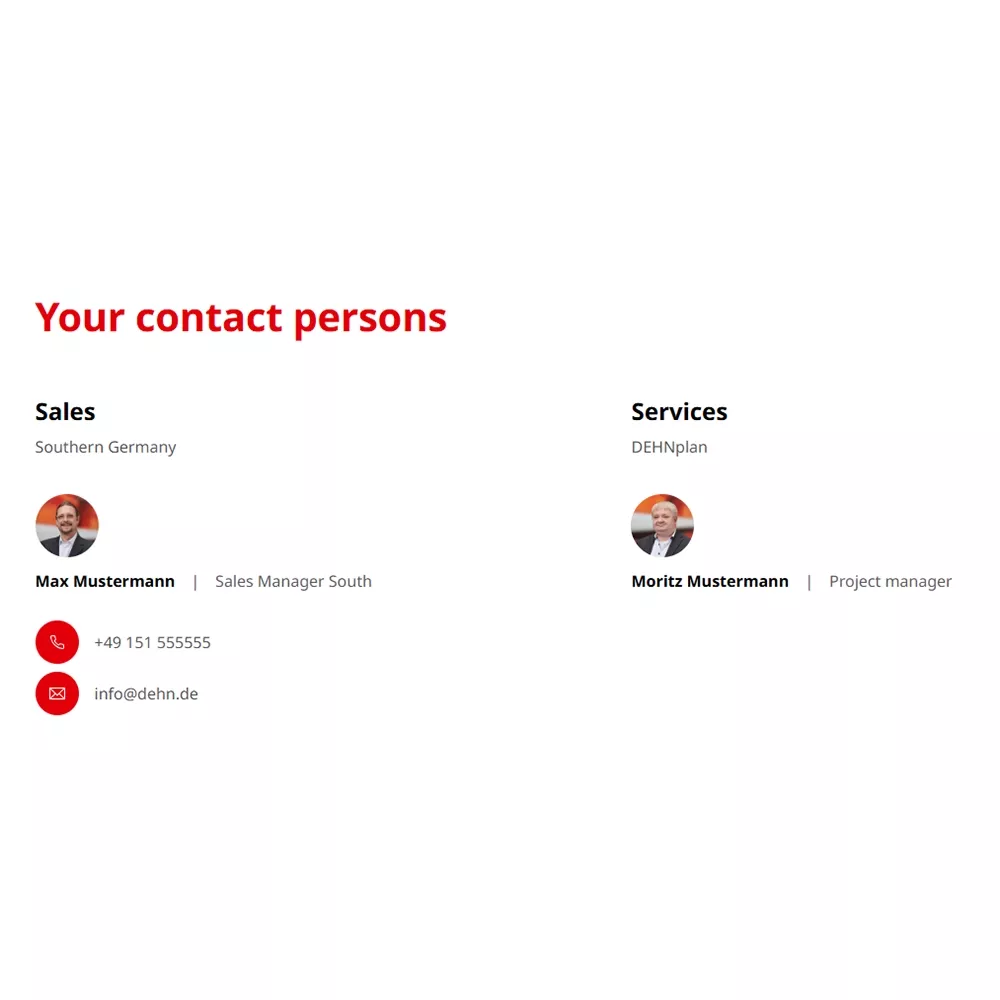
73 | Contact Person List

Displays a two-column list of contact persons, including their area of responsibility, name, job title, email, and phone number.

Use case: Best for team overviews or department directories, giving users a quick and informative snapshot of who to reach out to.

73 | Contact Person List: Specification

🎯 | Character & Goal

  • Compact element to display contact persons with optional contact channels: telephone and email
  • Goal:
    • Display fast contact possibilities

✨  | Styles & Layouts

  • Grid: Items will be placed next to each other in a grid

πŸ’»  | Authoring

Text lengths
Character limits / line-clamps

  • No limits or line clamps

Mandatory fields

  • Item headline
  • Item sub-headline

Images / Videos
Image sizes / format

  • Image, no videos
  • Square: 1:1 - 300x300px

πŸ’‘  | Hints

Tips for maintenance 

  • When no contact image is added a fallback image will be shown automatically
  • Overall: As the items will be placed next to each other in a grid it is useful to add similar text lengths to create a uniform look
  • Headline and Sub-Headline can be used to describe the topic / field of work of the respective contact person

Need Help with Content Settings?

If you have questions or need assistance while editing, you can find helpful information in our general FAQ.
For further support, feel free to reach out.

FAQs & Support